CASE STUDY

Google Cloud

Desktop UX and UI for Google Cloud, turning dense technical content into clear product pathways.
Role Visual Designer
Timeline September—December 2017 • 4 Months
Company Google
Team Art Director, Project Manager, Visual Designer (Tablet & Mobile), Full-Stack Developer, Copywriter

THE PROBLEM

Organize dense technical content for developers, IT teams and enterprise buyers into pages that are easy to scan.

WHAT I OWNED

The desktop experience, from wireframes and information hierarchy through high-fidelity UI in Material Design.

THE OUTCOME

5 desktop pages designed in 4 months, giving the tablet and mobile designer a structure to build from.

01 — CONTEXT

Google Cloud

I designed the desktop experience for the Google Cloud website, working with an Art Director, a Project Manager and a second Visual Designer who owned tablet and mobile.

I took each page from wireframe through high-fidelity UI, using Google’s Material Design system to organize technical and enterprise content while staying true to Google Cloud’s visual language.

02 — CHALLENGE

Enterprise Complexity

Three very different audiences, technically dense content, and a desktop layout that had to set the structure for every other screen.

01 — Three Audiences

Developers, IT teams and enterprise buyers each came looking for different information on the same page.

02 — Dense Content

Product and service details had to stay accurate while still being easy to scan.

03 — Desktop Sets the Structure

My layouts became the foundation another designer adapted for tablet and mobile, so they had to translate cleanly.

04 — A Mature System

Material Design and Google Cloud’s visual language set firm rules for components, color and type.

03 — APPROACH

Structure First

I designed structure before style, then carried it into Material Design UI.

01 — Wireframe

Set hierarchy, content order and CTA placement before any visual styling.

02 — Design the UI

Built high-fidelity pages with Material Design components, type, spacing and imagery.

03 — Review at Full Scale

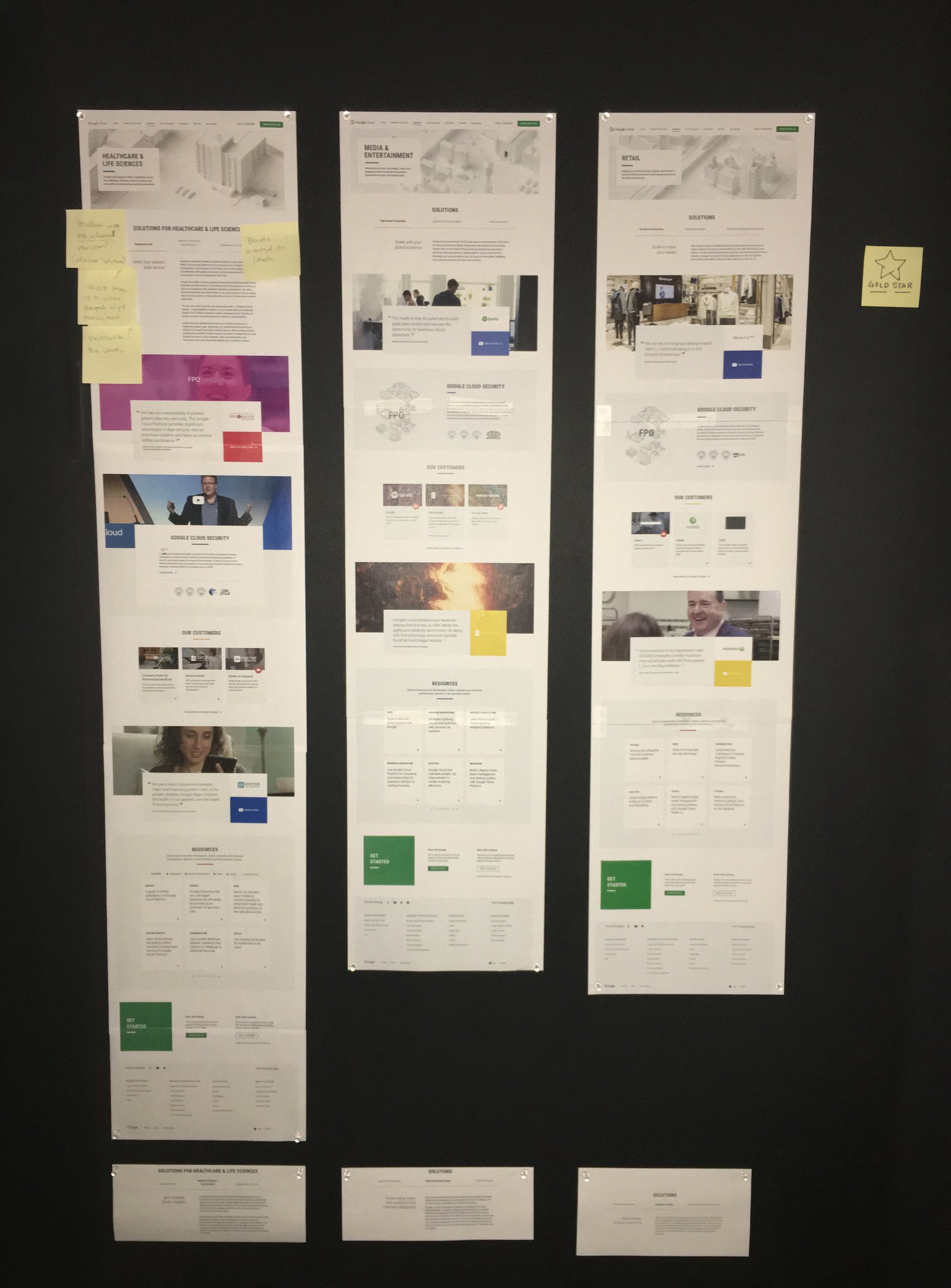
Printed pages and pinned them to boards to check consistency and rhythm across the site.

04 — Align Across Breakpoints

Worked with the tablet and mobile designer so hierarchy and components translated consistently.

04 — SOLUTION

Clearer Product Pathways

Desktop pages built on a clear structure, so each audience could find its path quickly, and the tablet and mobile designer had a consistent foundation to adapt.

05 — SELECTED WORK

Google Cloud Experiences

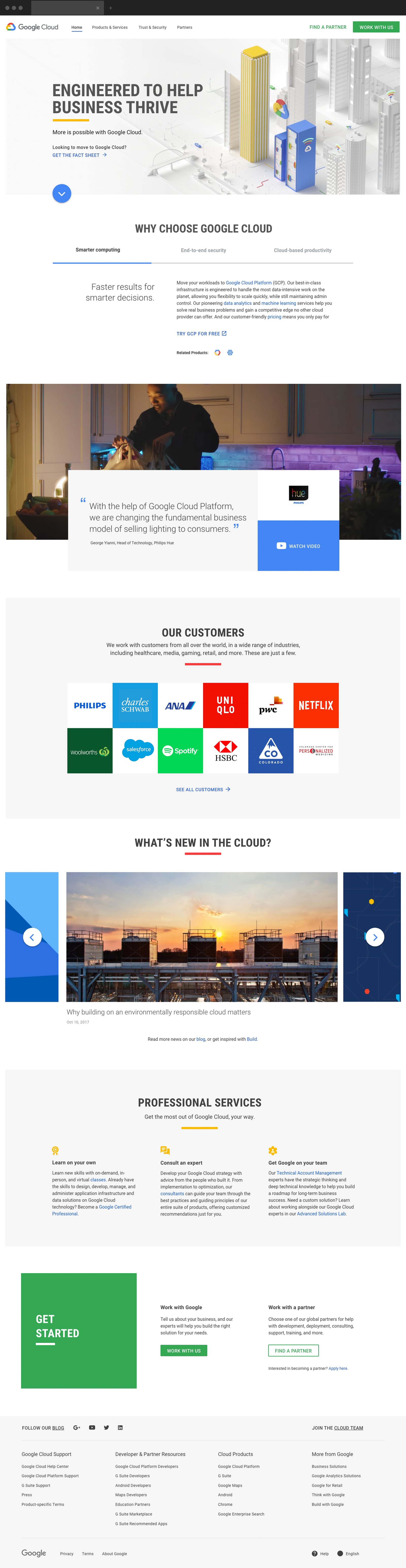
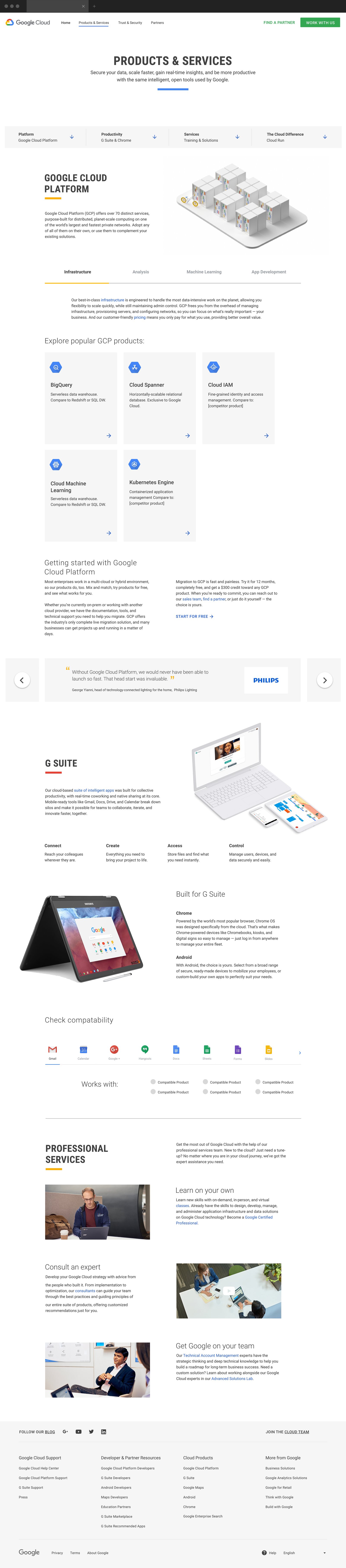
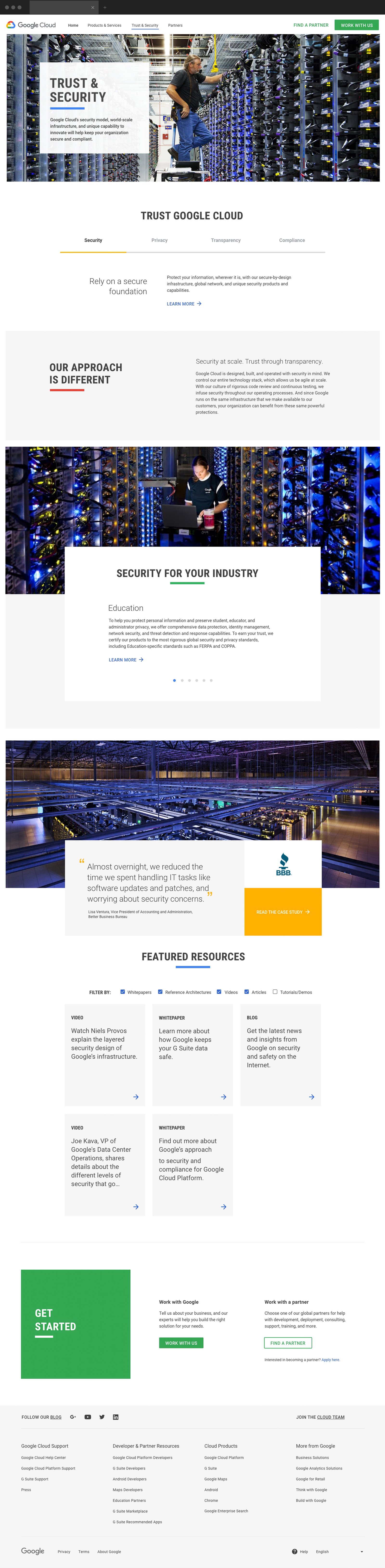
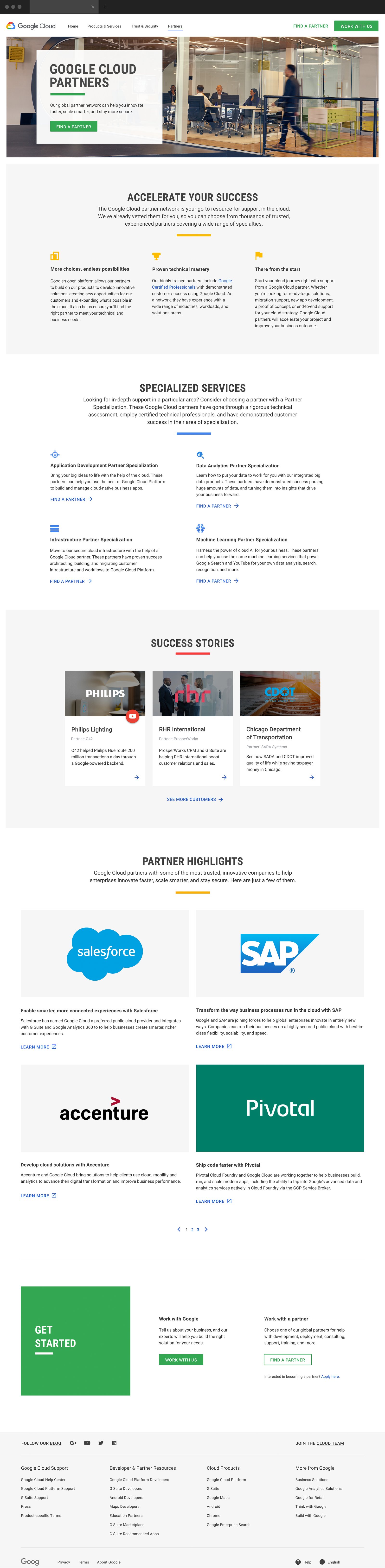
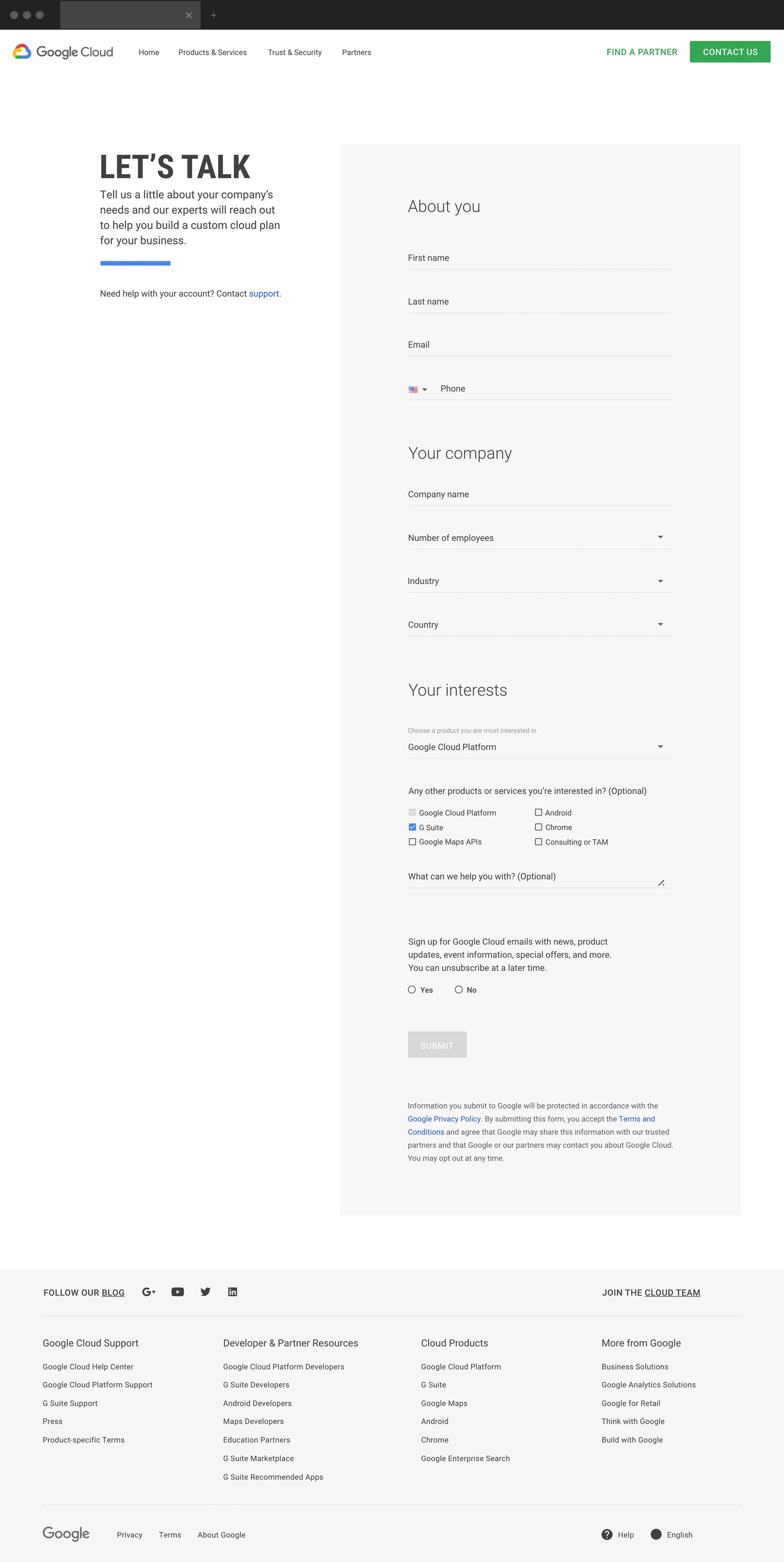
Desktop work for the Home, Products & Services, Trust & Security, Partners and Contact Us pages, from wireframe to final UI.

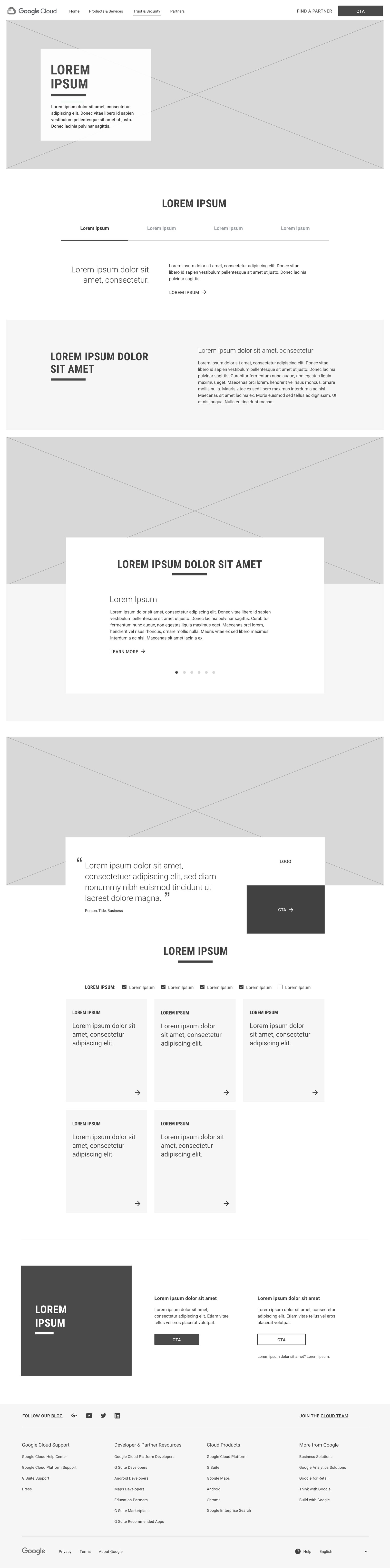
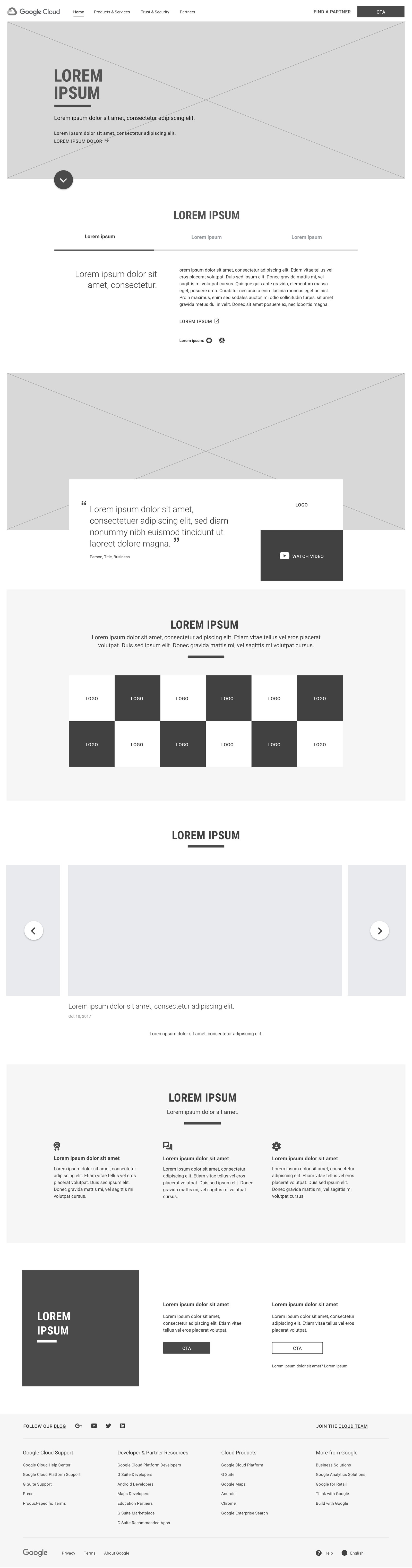
EXPERIENCE 01 — DESKTOP WIREFRAMES

Establishing Structure Before Visual Design

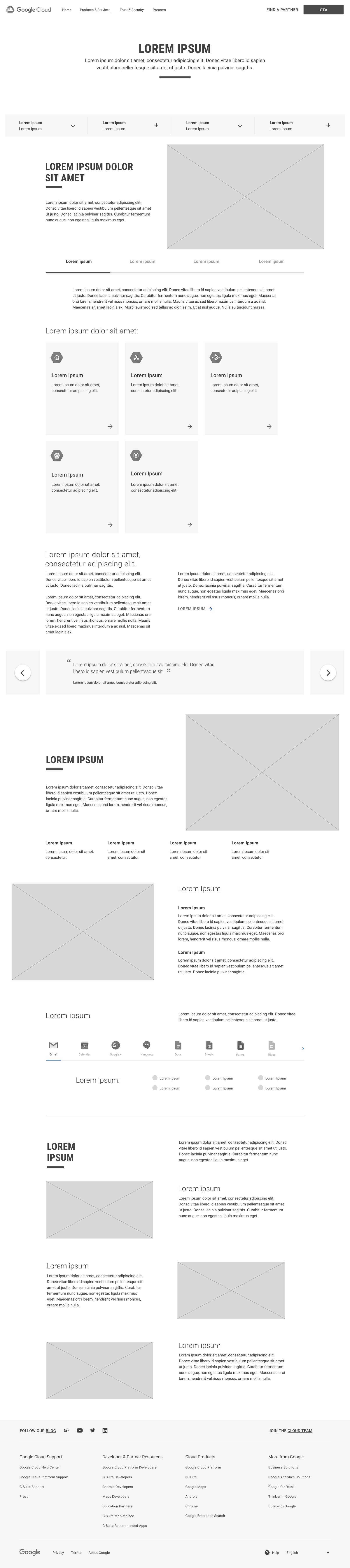
I used desktop wireframes to establish information hierarchy, content sequencing, section relationships and user pathways before moving into high-fidelity UI.

Working within the project requirements and Google Cloud’s established framework, I organized content into clear, scannable sections and defined the placement of key messaging, supporting information and calls to action. This created a structured foundation for the visual design while helping align the experience before production.
KEY DECISION

Prioritize Audience Needs. Simplify Content Discovery.

I organized content around audience needs rather than product features, creating clear pathways for developers and buyers to find relevant information without navigating the entire page.

Desktop

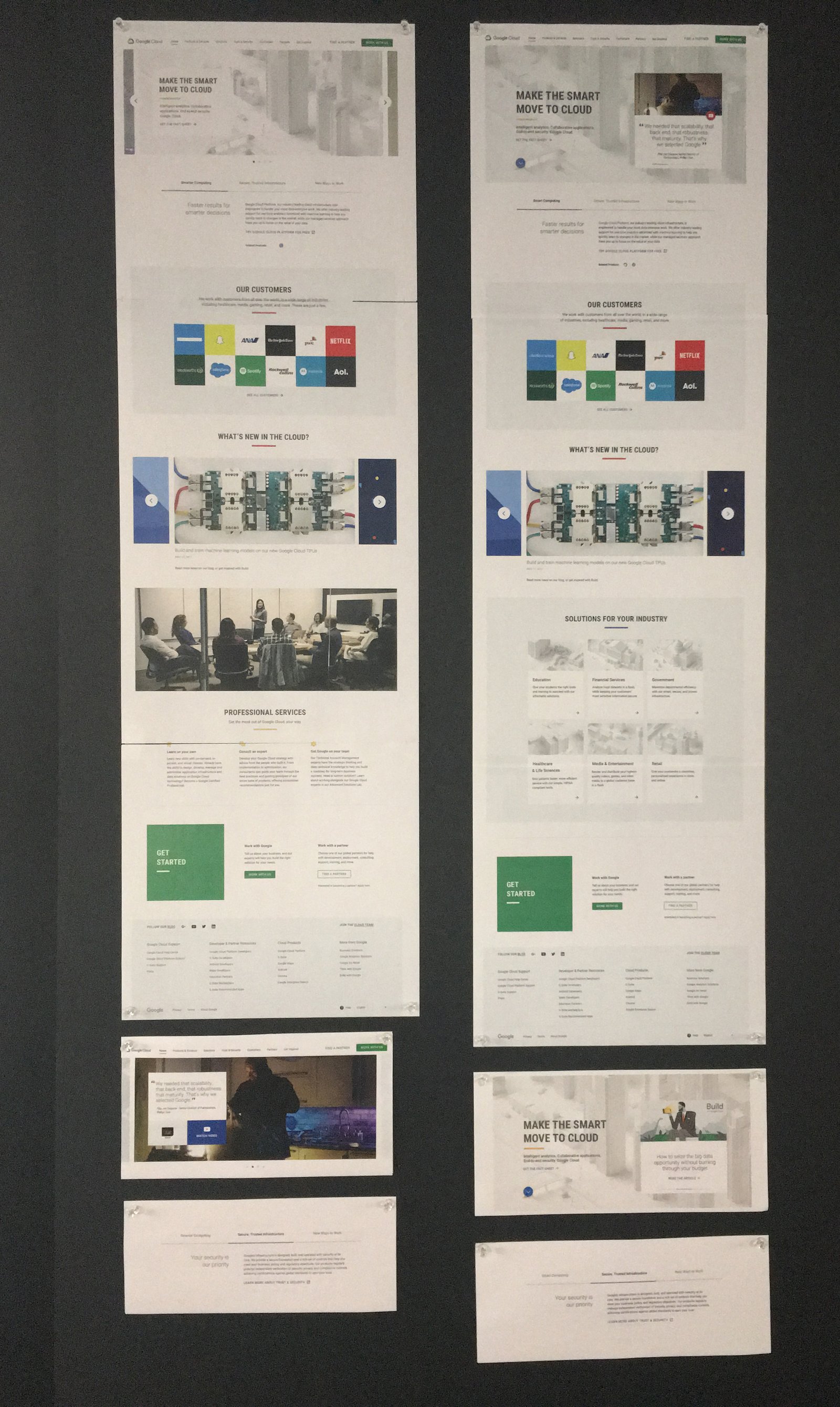
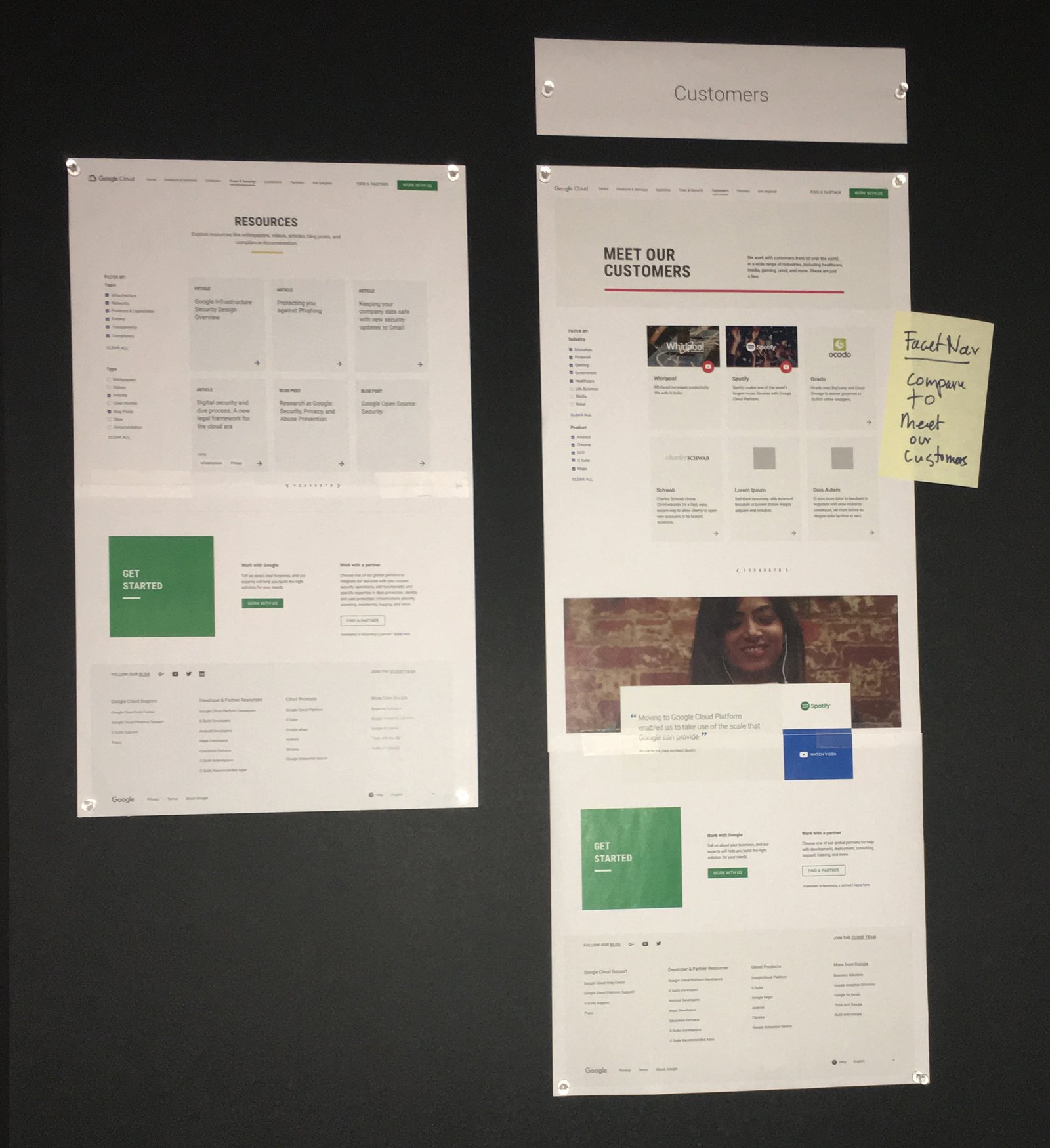
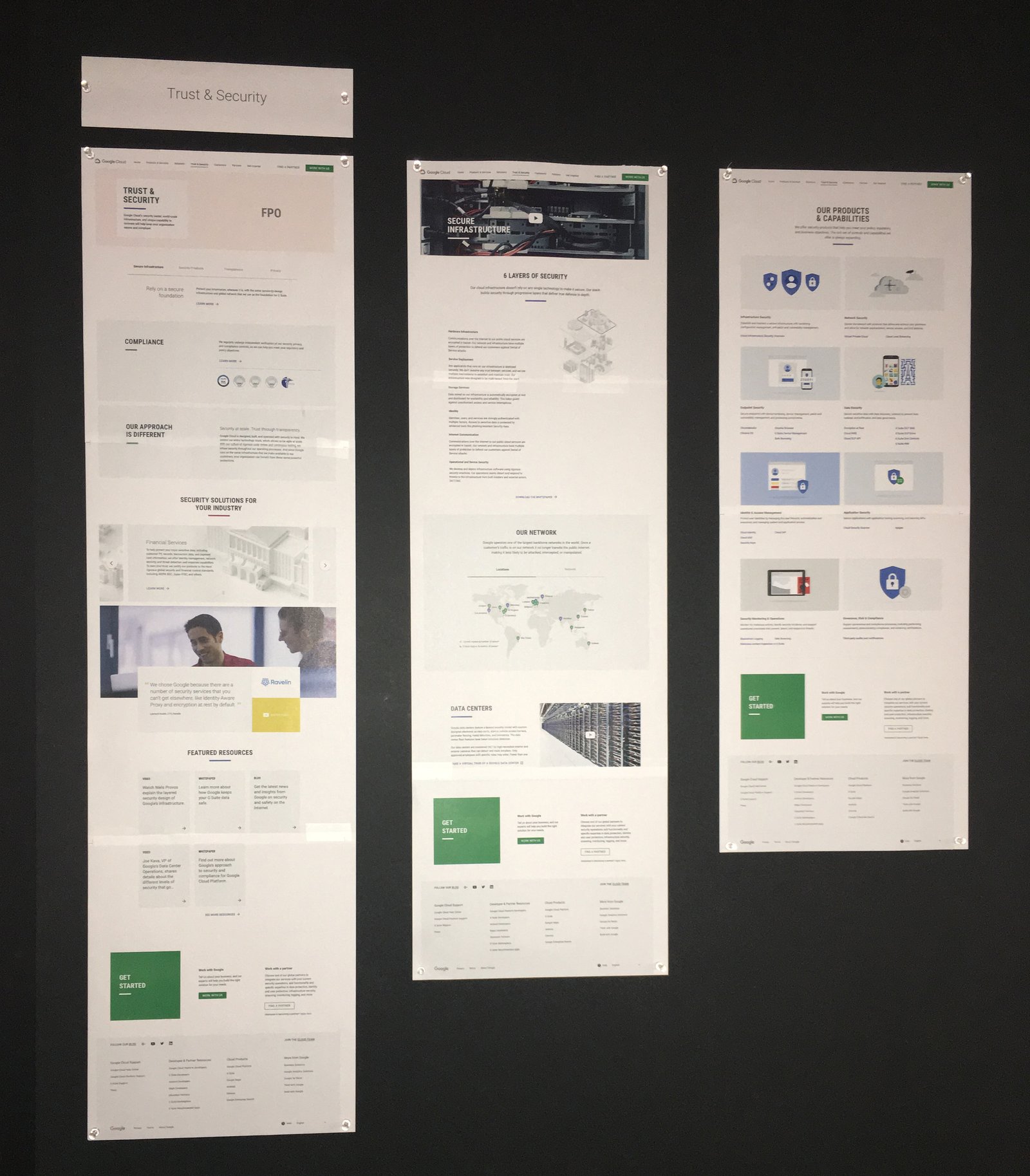
EXPERIENCE 02 — DESIGN REVIEW

Evaluating the Experience at Scale

We printed the desktop UI pages at full scale and pinned them to review boards, allowing the team to evaluate page-to-page consistency, hierarchy, content flow and visual rhythm across the broader Google Cloud experience.

KEY DECISION

Standardize Spacing. Strengthen Visual Consistency.

I reviewed full-size page layouts side by side to identify inconsistencies in section spacing and heading sizes, then standardized these elements to create a cohesive experience across all pages.

EXPERIENCE 03 — FINAL UI

Translating Structure Into Google Cloud UI

Once the desktop structure was established, I translated the wireframes into high-fidelity interfaces using Google Cloud’s Material Design system, established components, typography and visual language. I refined spacing, hierarchy, imagery, component placement and calls to action to create polished desktop experiences that remained consistent with Google Cloud’s existing design standards while preserving the structure defined during wireframing.

KEY DECISION

Maintain CTA Consistency. Create Predictable Navigation.

I maintained consistent CTA placement across pages, helping users quickly identify their next action and navigate with confidence.

06 — SCALE & DELIVERY

Built to Scale Across Screens

5 desktop pages designed in four months, giving tablet and mobile a consistent structure to build from.

01 — PAGES

5 Desktop Pages

Home, Products & Services, Trust & Security, Partners and Contact Us, from wireframe to final UI.

02 — AUDIENCES

3 Audiences

Developers, IT teams and enterprise buyers, each with a clear path.

03 — PROCESS

Wireframe to UI

Every page taken from structure through production-ready design.

04 — TIMELINE

4 Months

September to December 2017, in parallel with tablet and mobile.

07 — REFLECTION

Key Learnings

What this project taught me about structuring complex content.

Structure Before Style

Wireframing first made the visual design faster and the hierarchy clearer.

Review at Real Scale

Printed pages revealed inconsistencies that screens hid.

Design for the Next Designer

Clear desktop structure made tablet and mobile adaptation smoother.

What I’d Do Next

Test the page structure with each audience to confirm the paths match how they actually search.

© 2026 Serj Khorozian — Made with ♥ in California.