CASE STUDY

Mobilogix

Designing a 0→1 Connected Motorcycle Tracking Experience

An iOS app that let motorcycle owners find, track and remotely control their bike, designed from scratch as the sole designer.

Role UI/UX Designer
Timeline June 2016—April 2017
Company Mobilogix
Team CTO · App Developer

THE PROBLEM

Turn GPS hardware, cellular data and remote engine control into an app any motorcycle owner could use.

WHAT I OWNED

The entire product experience: flows, wireframes, UI, design system, prototyping and handoff.

THE OUTCOME

Shipped 0→1 in 11 months. Mobilogix and its technology were acquired in August 2022.

01 — CONTEXT

Connecting Motorcycle Owners to Their Bike

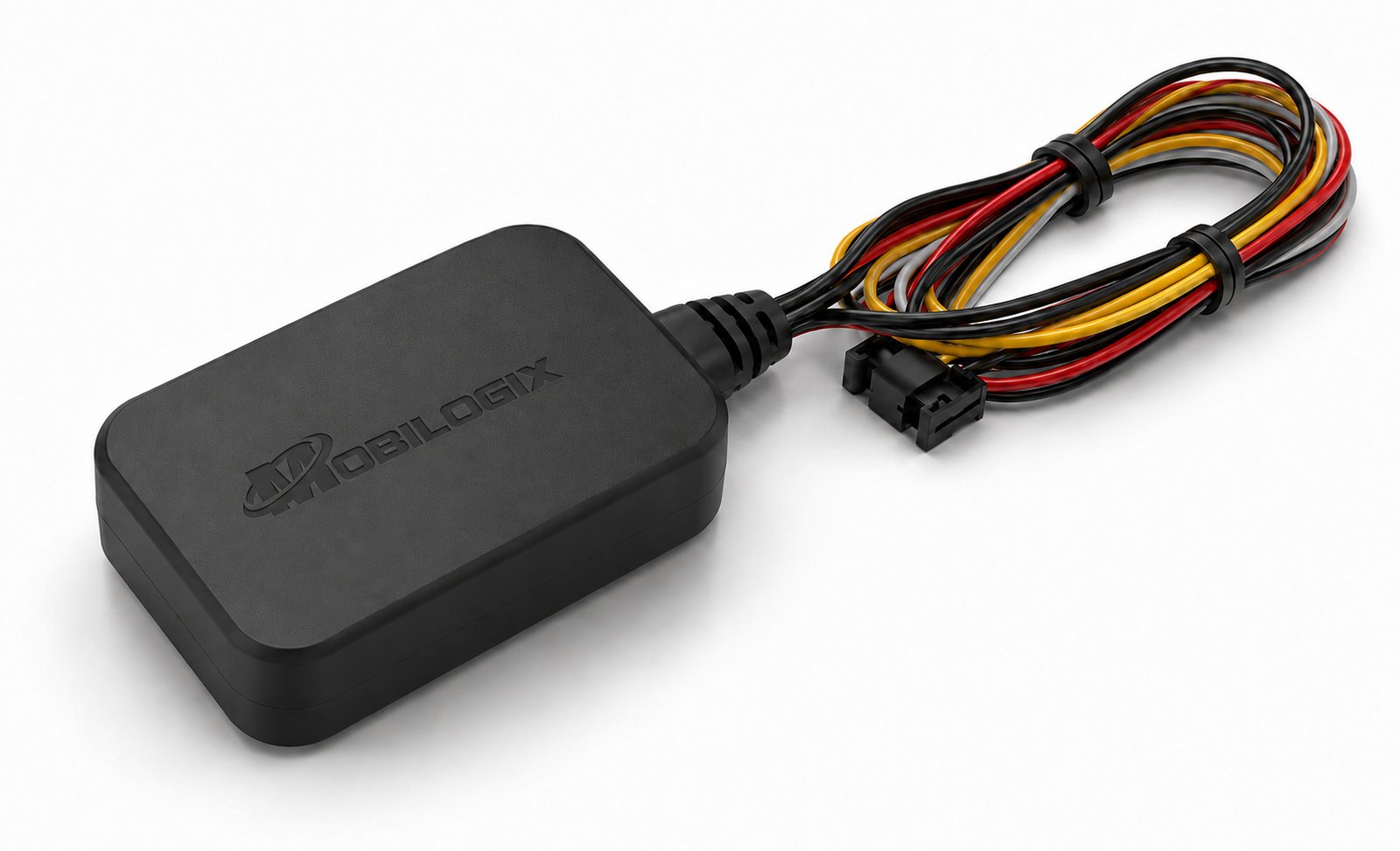
Mobilogix was a 0→1 connected motorcycle product. The iOS app paired with the MT4200 tracker, which linked the bike to the platform through GPS and cellular data.

As the sole UI/UX Designer, working with the CTO and one developer, I defined the product from early requirements through flows, wireframes, UI, prototyping, components and handoff.

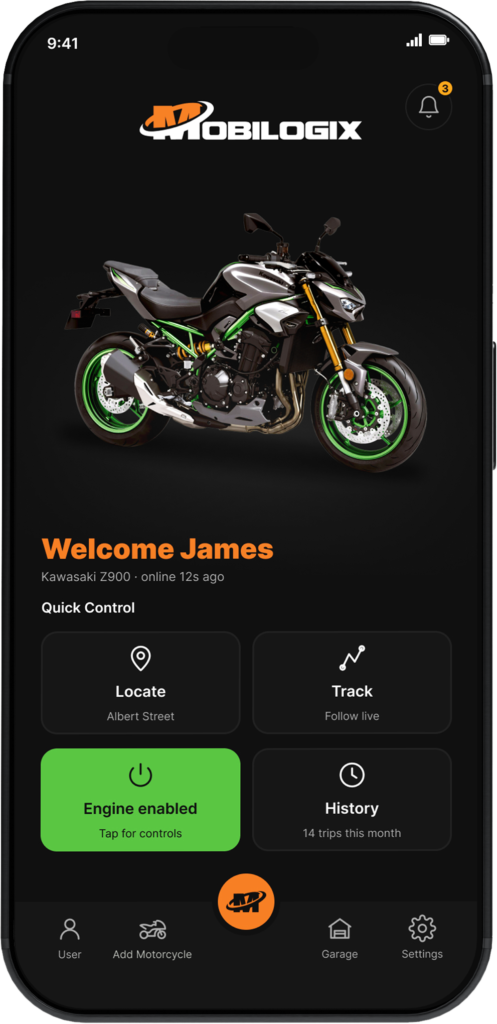
Locate

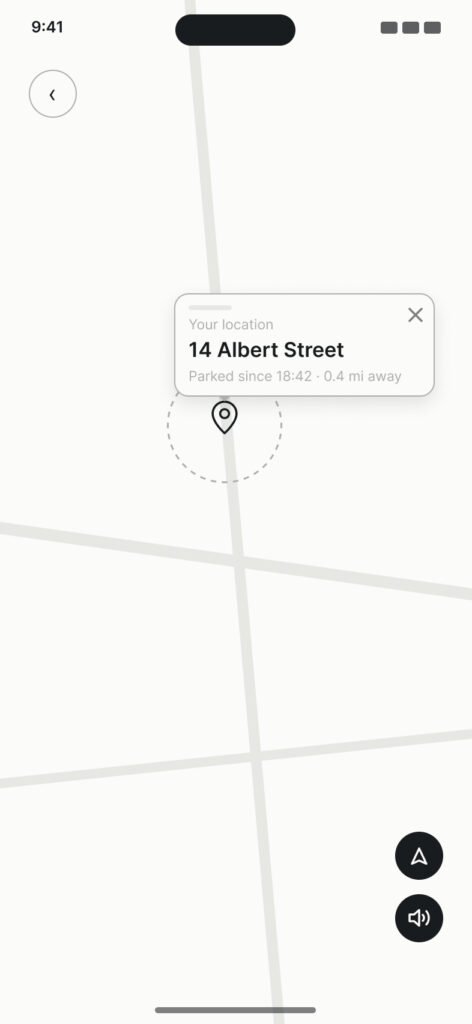
Real-time GPS position on a map.

Track

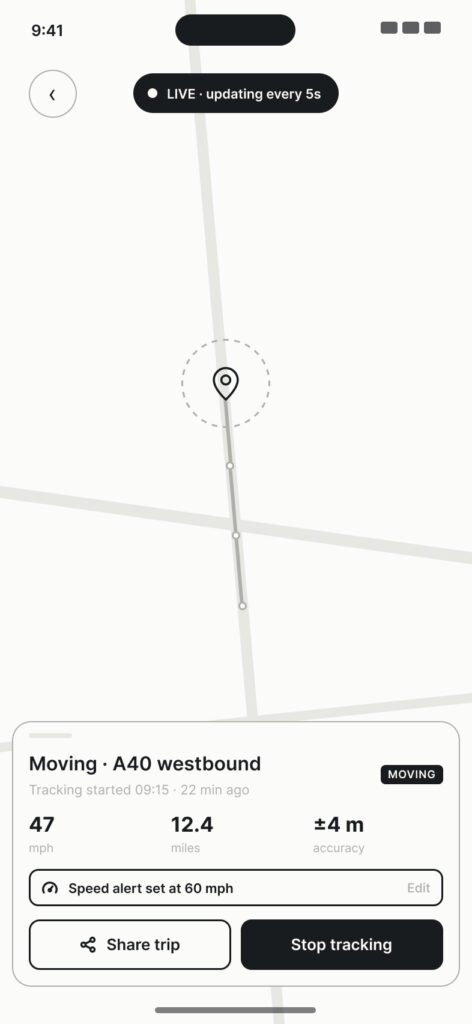
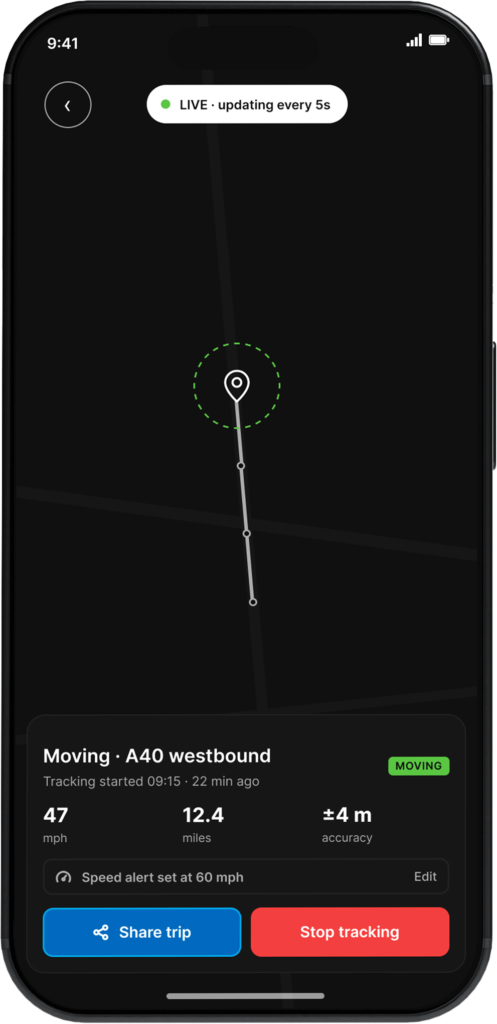
Live movement while the bike is in motion.

History

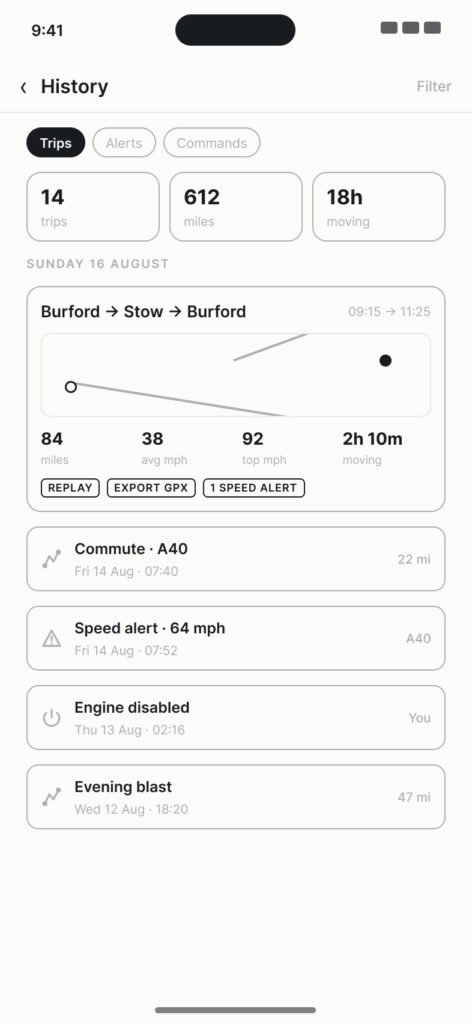
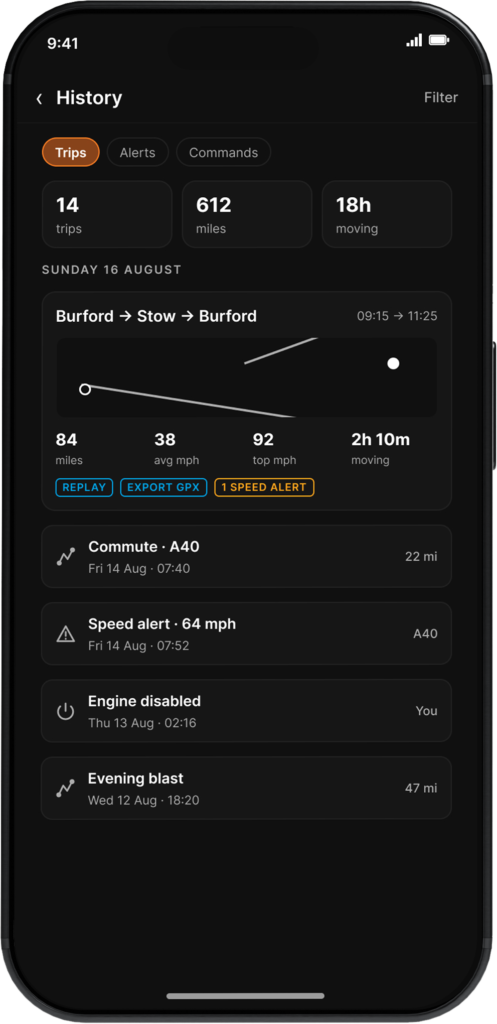
Past trips and location activity.

Engine Control

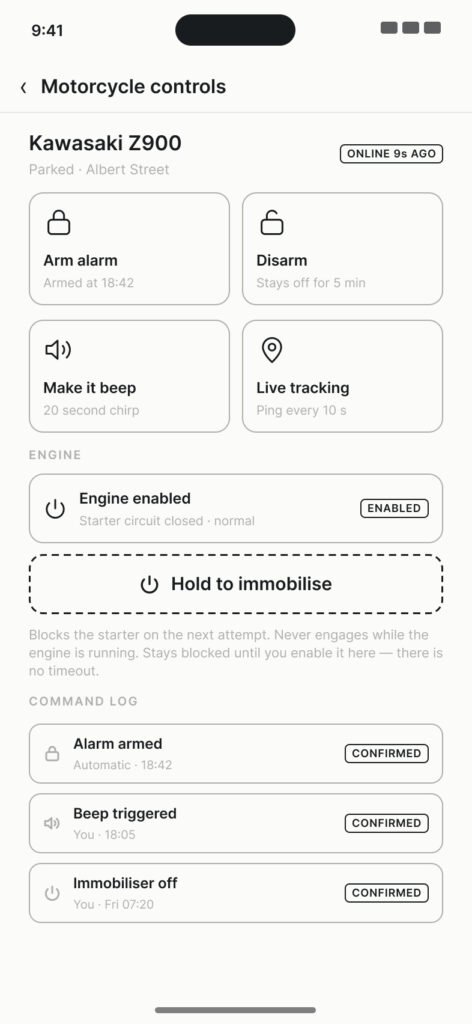
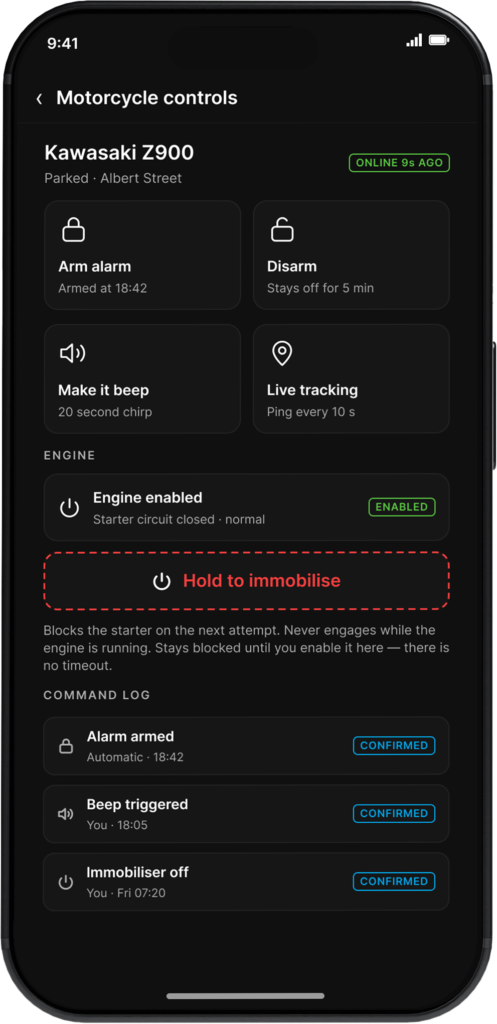
Remotely enable or disable the engine.

02 — CHALLENGE

Making Connected Vehicle Technology Feel Simple

Behind the interface, Mobilogix combined physical hardware, GPS data, cellular connectivity, live location information, and remote vehicle functionality. For the motorcycle owner, that complexity needed to disappear.

The Core User Questions

No Product to Inherit

Navigation, interaction patterns, visual language and device behaviors all had to be defined from scratch.

Digital Actions, Physical Results

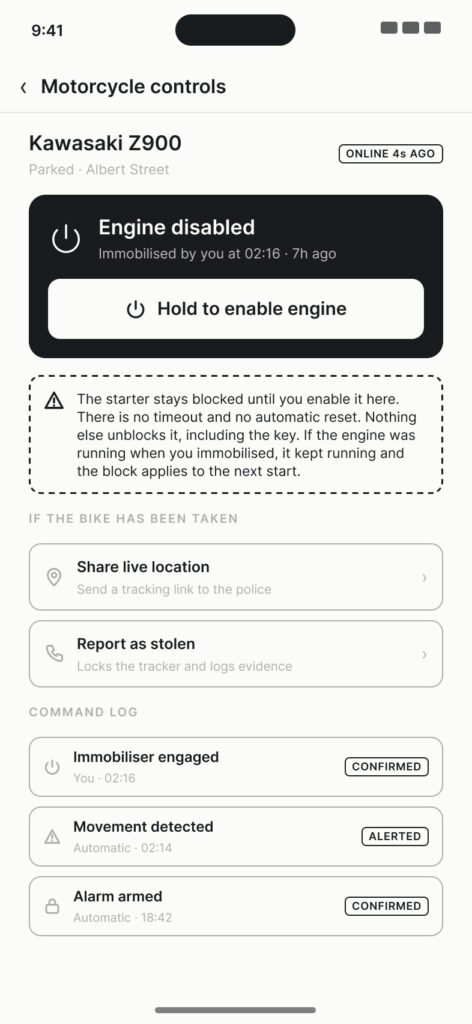
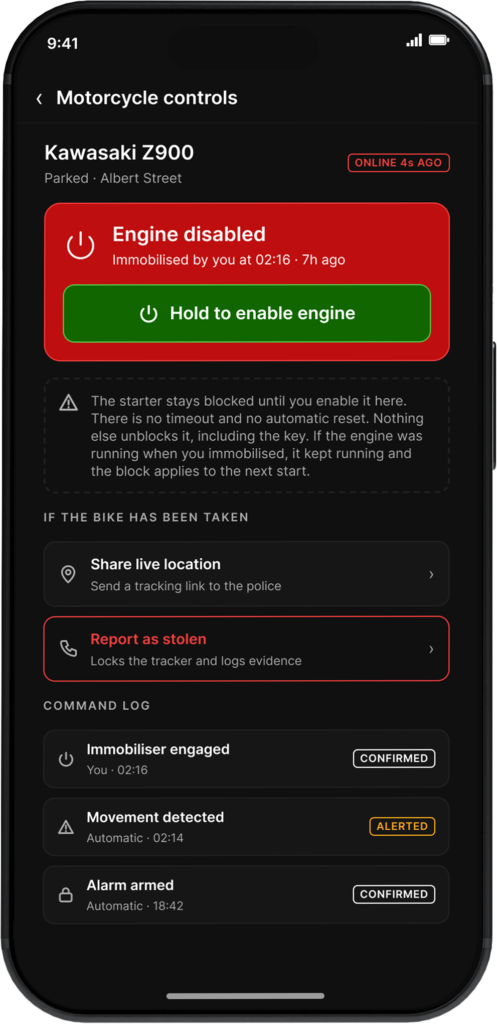
Tapping Engine Disable affected a real motorcycle, so every state had to be unmistakable.

03 — APPROACH

Designing Around User Intent

I organized the app around what owners wanted to do, not how the technology worked. Location became the foundation, and every other task built from it.

01 — Location First

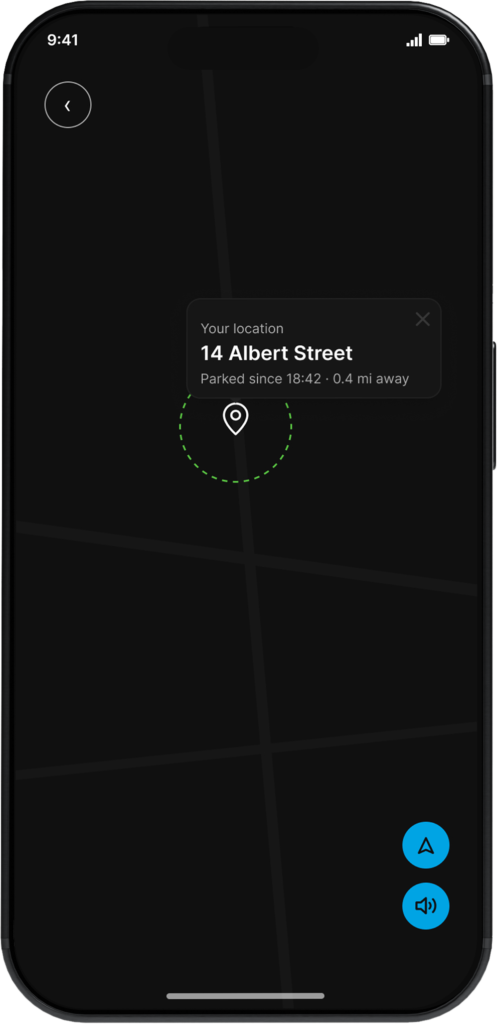
Locate is the first action on the home screen, one tap from the bike’s position.

02 — One Map, Every Task

Locate, Track and History share the same map behavior.

03 — Hide the Tech

Technical data stays out of the way unless it helps a decision.

04 — Clear Device States

Every connected action shows what’s happening and whether it worked.

04 — PROCESS

From Requirements to Product Experience

Working directly with the CTO and developer, I took the MT4200’s capabilities from requirements to a shippable iOS app.

01 — Define

Requirements into UX flows, information architecture and core journeys.

02 — Wireframe

Low-fidelity screens for navigation, map behavior and device states.

03 — Design

Visual direction, color system, components and high-fidelity UI.

04 — Prototype & Hand Off

Prototyped key interactions and states, then worked with development through launch.

05 — WIREFRAMES

Defining the Core Connected Experience

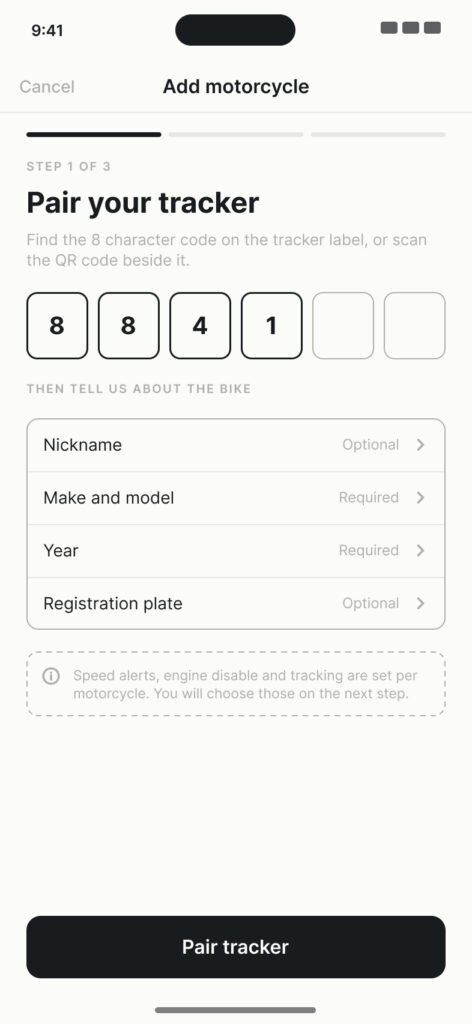
Before moving into high-fidelity UI, I mapped the primary workflows required to connect the tracker, access the motorcycle, monitor location, review activity, and control the engine remotely.

The wireframes helped establish navigation, information hierarchy, map behavior, connected-device states, and the relationship between the product’s four core capabilities.

KEY DECISION

Prioritize Essential Controls. Reduce Navigation Friction.

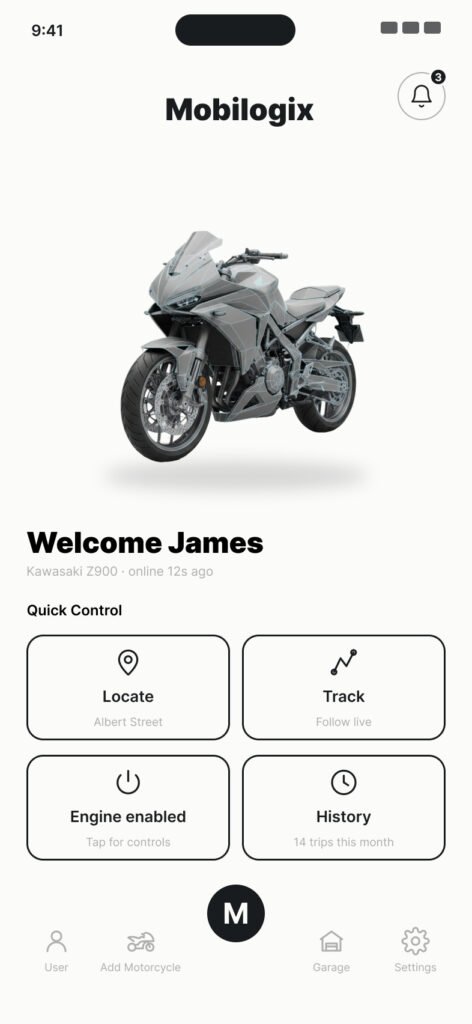
I placed four essential actions (Locate, Track, Engine Control and History) directly on the home screen, giving riders immediate access to monitoring, security controls and ride activity without navigating through multiple screens.

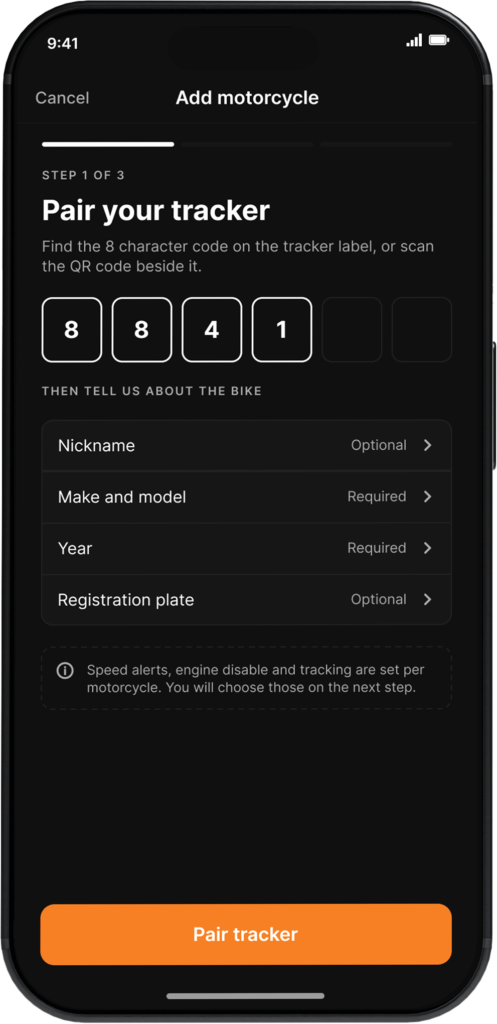
01 — Pair Tracker

02 — Home

03 — Locate

04 — Track

05 — Engine Control

06 — Engine Disabled

07 — History

06 — SOLUTION

Turning Connected Hardware Into a Simple iOS Experience

The final Mobilogix experience connected the physical motorcycle, MT4200 tracker, and iOS app within one product ecosystem.

Instead of requiring users to understand how the underlying tracking technology worked, the interface translated connected vehicle data into four simple actions:

Locate. Track. Review History. Control the Engine.

The final interface used a consistent map-based experience, clear motorcycle status information, reusable interaction patterns, and prominent controls for the tasks owners were most likely to perform.
01 — Pair Tracker

02 — Home

03 — Locate

04 — Track

05 — Engine Control

06 — Engine Disabled

07 — History

07 — DESIGN SYSTEM

Creating the Product Language From the Ground Up

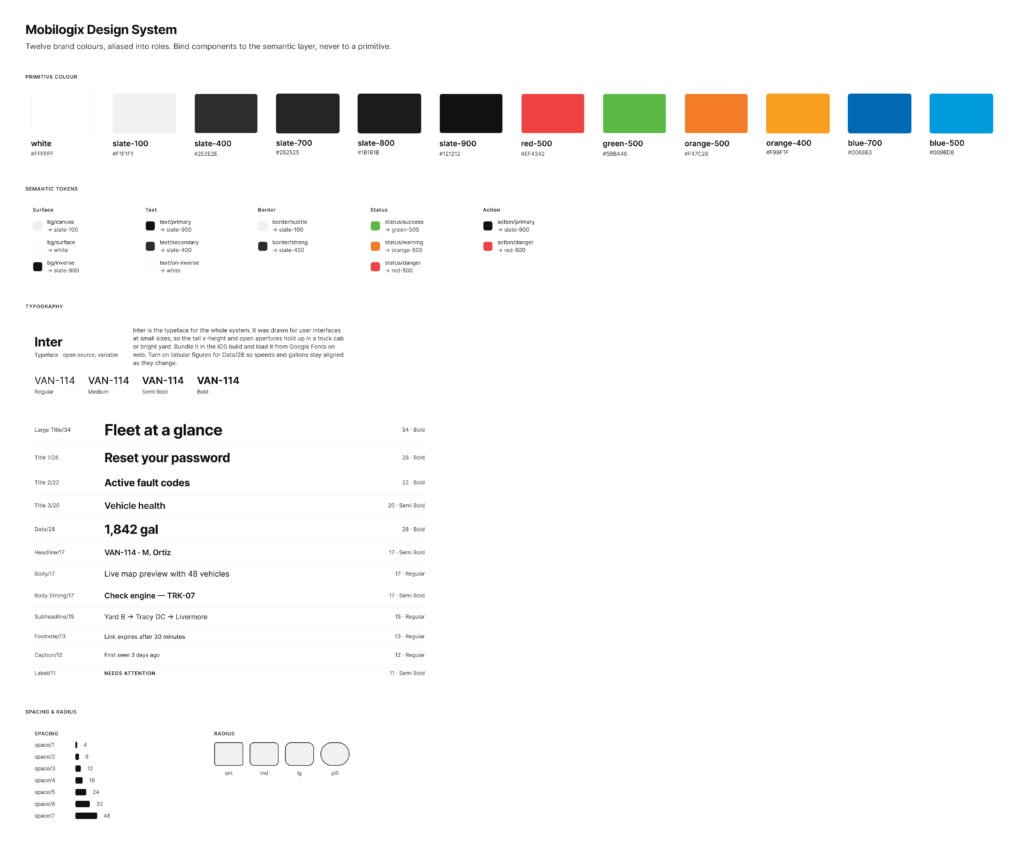
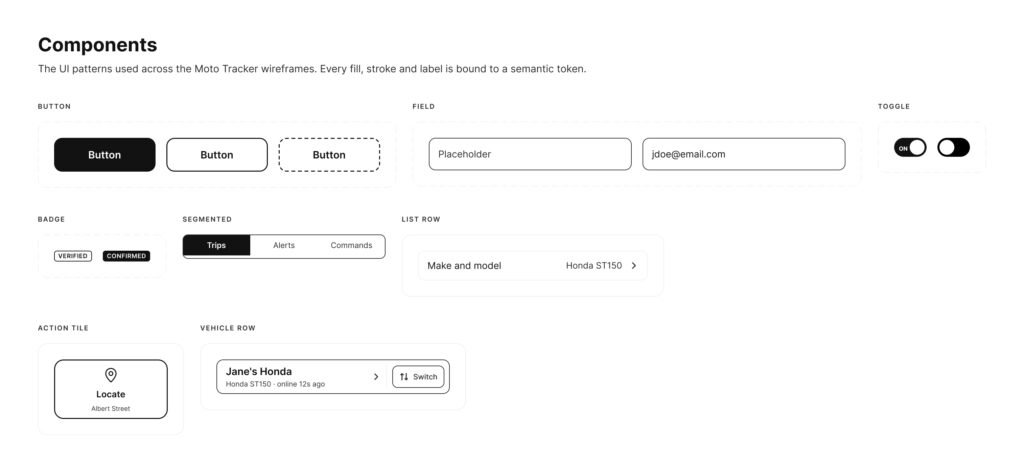
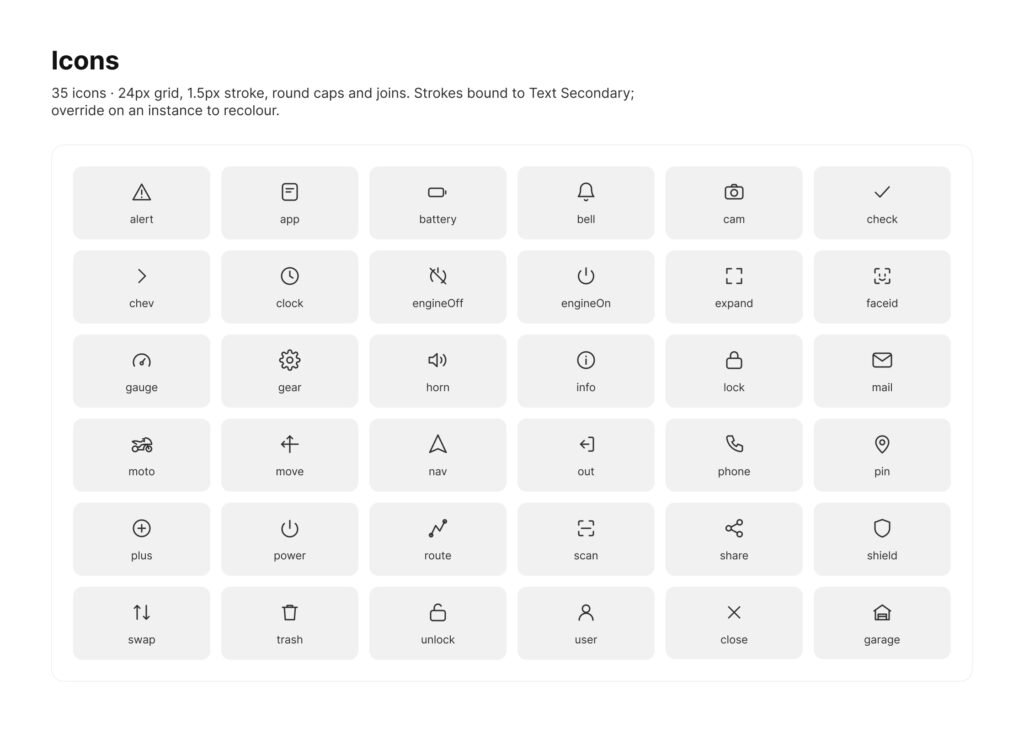
Because Mobilogix was 0→1, I built its design system from scratch, giving development reusable components and specs that could scale as the product grew.

07.1 — Design System

07.2 — Components

07.3 — Icongraphy

08 — IMPACT

From 0→1 Product to Acquisition

Took a connected-motorcycle tracker from requirements to a launched iOS app in 11 months. Mobilogix and its technology were acquired in August 2022.

SHIPPED 0→1

From requirements to launch

Sole designer alongside the CTO and one developer, covering flows, wireframes, UI, prototyping and handoff.

DESIGN SYSTEM

Built from scratch

Color system, components and icon set reused across all seven core screens, from Pair Tracker to History.

BUSINESS OUTCOME

Launched, Then Acquired

The product reached market, and Mobilogix and its technology were acquired in August 2022.

09 — REFLECTION

Designing Beyond the Screen

What designing a connected product from scratch taught me.

Design for Intent, Not Technology

Organizing around owner tasks made a complex system feel simple.

Physical Actions Need Feedback

When a tap affects a real motorcycle, every state has to be explicit.

0→1 Needs a System Early

Defining patterns and components up front kept a small team consistent.

What I’d Do Next

Test core flows with riders early, especially Engine Control, to confirm the states felt trustworthy.

© 2026 Serj Khorozian — Made with ♥ in California.